Friday, June 28, 2013

Getting iBooks to respect image width

So, I wrote a long time ago about how iBooks doesn't apply the CSS width property to images properly. Despite the fact that the spec says that width applies to all elements except non-replaced inline elements, and that images are replaced inline elements, up til now, iBooks wouldn't apply width to img. There is a workaround: applying the width to the image's parent, and setting the width of the image itself to 100%, as I describe in that article.

What's more frustrating is that since InDesign follows the rules, dutifully applying the pixel or percentage dimensions in the CSS directly to the image—which again, should work but doesn't in iBooks—those images are not displayed properly in iBooks.

So here's a document in InDesign: (I'm showing you the example in InDesign, but I would have the same issue if I created the code myself from scratch.)
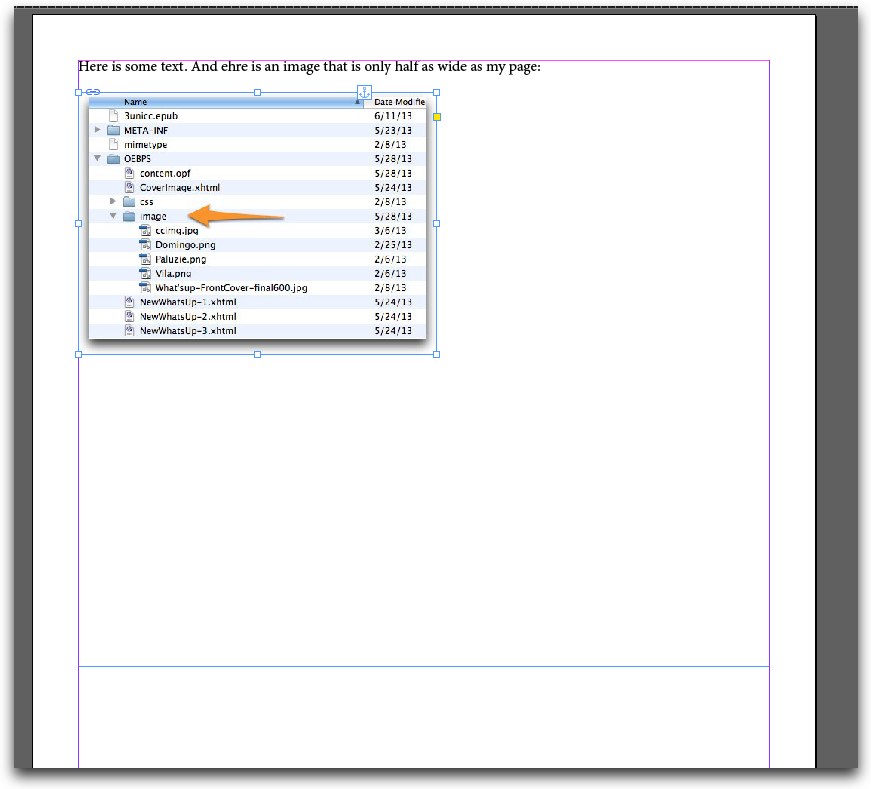
InDesign Width

Here's the code that InDesign generates when I choose "Preserve appearance" and "Relative to page"
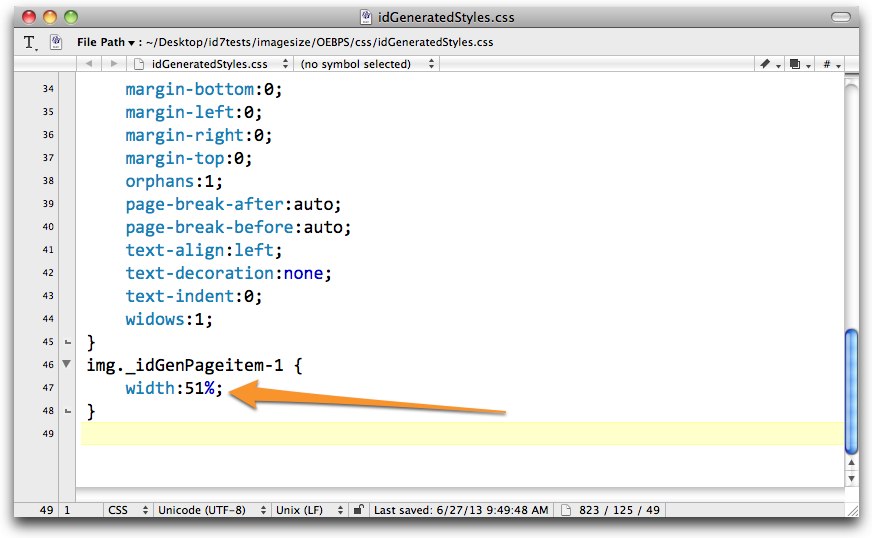
idGeneratedStyles.css

And here's how iBooks displays that page:
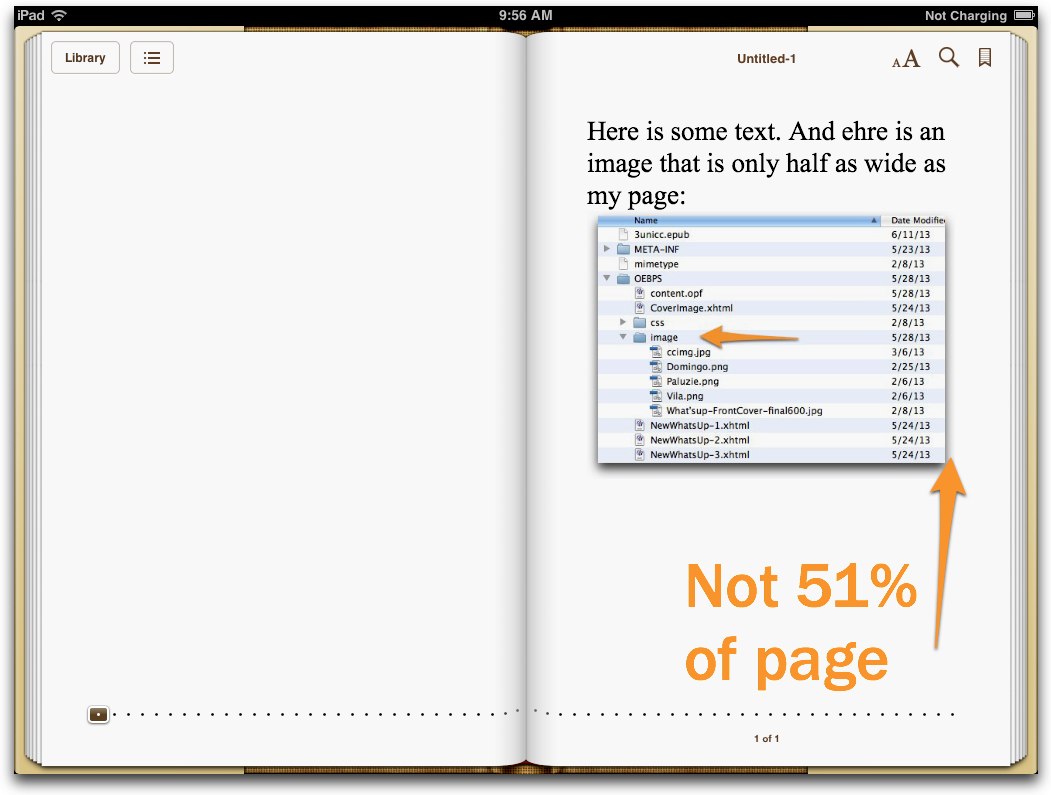
iBooks and width before

I wrote Douglas Waterfall, Engineering Architect on InDesign, about the problem and he pointed me to the solution, right there in the iBooks Asset Guide (which you can download if you have an iBookstore account).

The solution consists of creating a super-charged or magic CSS class that you can then use to properly apply the width property to img elements in iBooks. And it won't confuse ereaders that already do.

First, in the content.opf file, you have to make sure you have declared the iBooks namespace in the package element. You need this namespace if you use iBooks versioning as well. And it's completely harmless for non iBooks ereaders. (Note that I'm doing this in EPUB 3. I don't know and haven't tested it in EPUB 2.)

<package xmlns="http://www.idpf.org/2007/opf"
prefix="ibooks: http://vocabulary.itunes.apple.com/rdf/ibooks/vocabulary-extensions-1.0/" version="3.0" unique-identifier="bookid">


Next, in the meta section of the content.opf file, define which class should be able to apply the width property properly.

<meta property="ibooks:respect-image-size-class">respect</meta>

I called my class respect, but you can call it whatever you like.

Next, in the HTML, apply the respect class to your images.

<p class="Basic-Paragraph"><span><img class="respect" src="image/imagefolder-2_fmt.png" alt="imagefolder-2.jpg" /></span></p>

You can actually create multiple classes, as long as they are equal to, or prefaced with the name you declared in the meta element. So I could use respect, respect-wide, respect-small, or whatever.

Finally, create a rule in your CSS that references the respect class and applies the width property:

img.respect {
width:51%;
}


(Of course, if you're using InDesign, you can simply create a style called respect and let InDesign create your HTML and CSS.)

And then, miracle of miracles, iBooks applies the width property, just as it should.
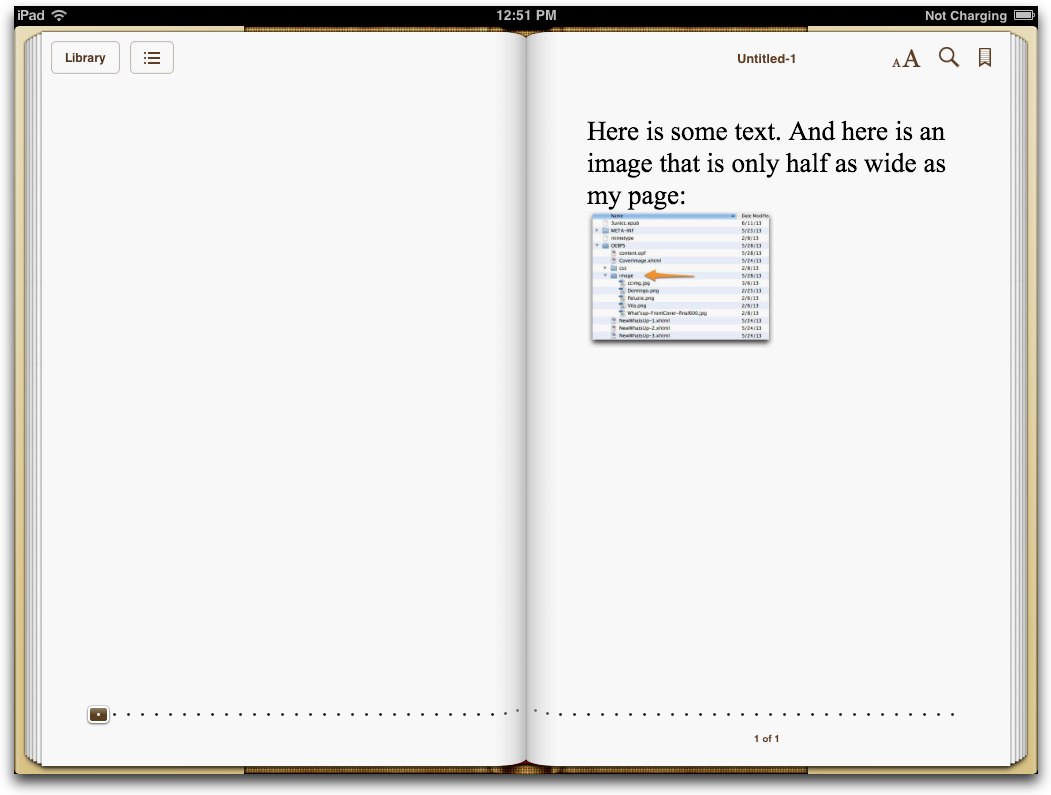
iBooks does width!

Seems crazy that we have to help iBooks follow the spec properly, but at least we can.

If you like this post, please consider subscribing!

Tuesday, June 18, 2013

InDesign CC - Embedding Fonts

One of the most appreciated improvements to InDesign with the new Creative Cloud edition is that it finally embeds fonts in a way that iBooks understands. Let's take a look.

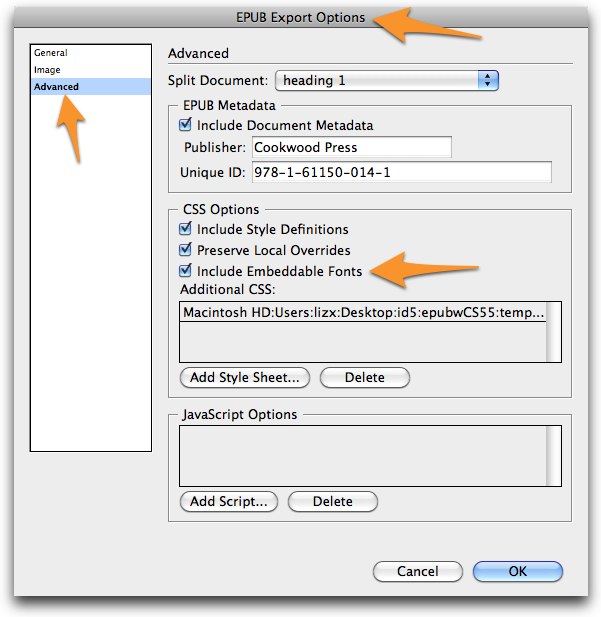
In InDesign, there is always some font chosen for text. You can't have "none". When you export a book to EPUB, the default is for InDesign to "Include Embeddable Fonts"

EPUB Export Options

The problem is that InDesign CS 6 doesn't do it right. Whether it's Adobe's fault or Apple's or the IDPF's, I've never been quite sure, but the truth is that there were two major problems: the font didn't get obfuscated properly and InDesign didn't account for iBooks' idiosyncracies (read: non-standard font requirements).

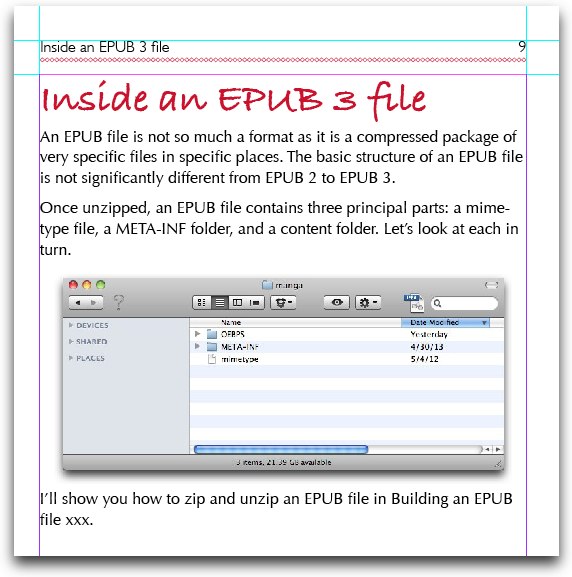
So, given this InDesign document:

InDesign

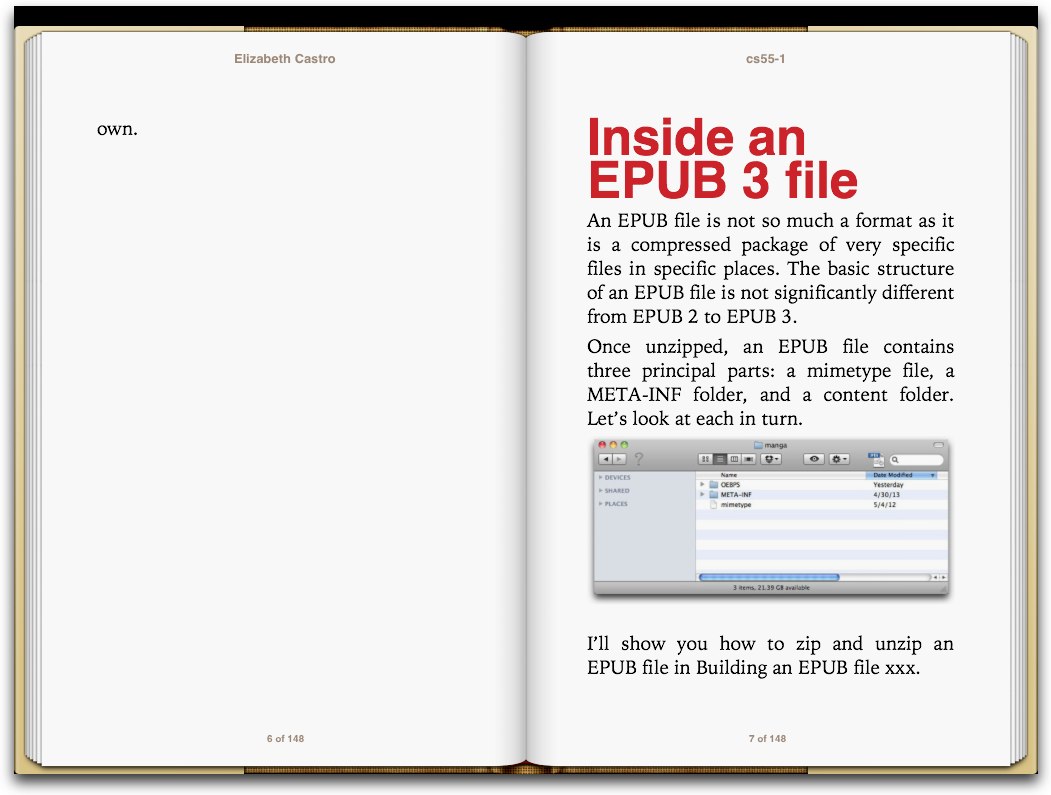
InDesign CS 6 exports a file to EPUB that looks like this in iBooks:

IDCS6-EPUB

My design surely lacks penache (it was designed to take advantage of the fonts that were available on the iPad in 2010), but if that's what I want, that's what I want InDesign to give me.

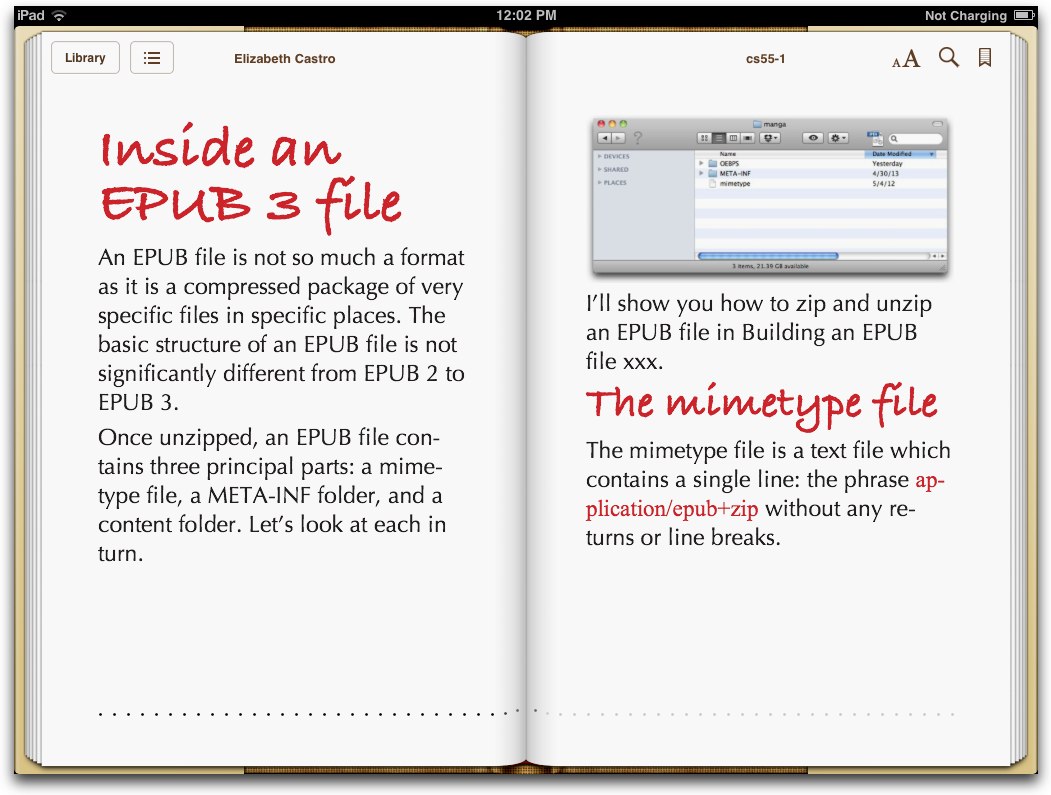
Now InDesign CC does. Notice both the Bradley Script for the headers and the Optima for the body text.

IDCC=fonts

I heard that it finally got the obfuscation right (or in accordance with Apple), but the coding news is that it also caters to Apple's requirement of including the com file in the META-INF folder.

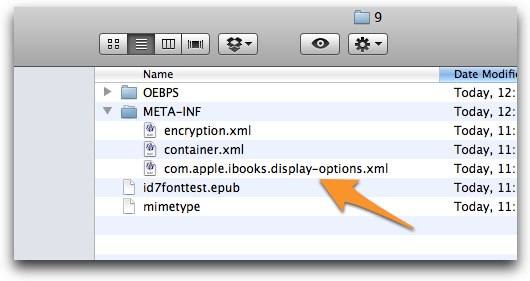
9

And here's what it looks like on the inside:

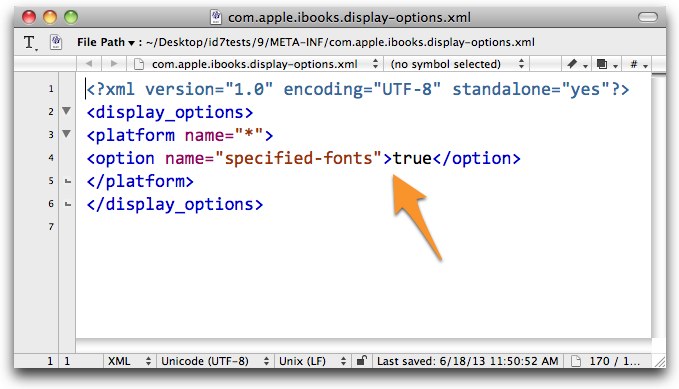
com.apple.ibooks.display-options.xml

Apple's com file is totally non-standard (that is, not part of the EPUB3 spec), but regardless, if you want fonts to work in iBooks with an EPUB 2 file, that's what you need, and I think Adobe made a great decision by including that file automatically so we don't have to crack open the EPUB to add it ourselves. Since the com file doesn't affect other ereaders or validation, there's nothing to be lost in adding it, and everything to be gained.

Note that I said EPUB 2, but InDesign CC actually includes the com file in EPUB 3 exports as well. That's not perfect—since Apple now follows the spec for declaring font usage in a meta element in EPUB 3—but it still works and better yet doesn't break anything. And given Adobe's dedicated support for EPUB lately, I'm confident that they'll roll the new behavior into InDesign CC soon.

One small caveat: remember that if you have Preserve Local Overrides unchecked and you've applied fonts with an override, then you shouldn't be surprised if the fonts don't make it to the EPUB file.


Tuesday, June 4, 2013

InDesign TOCs to EPUB

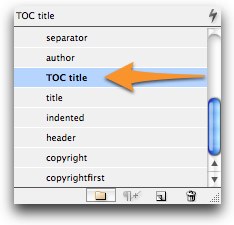
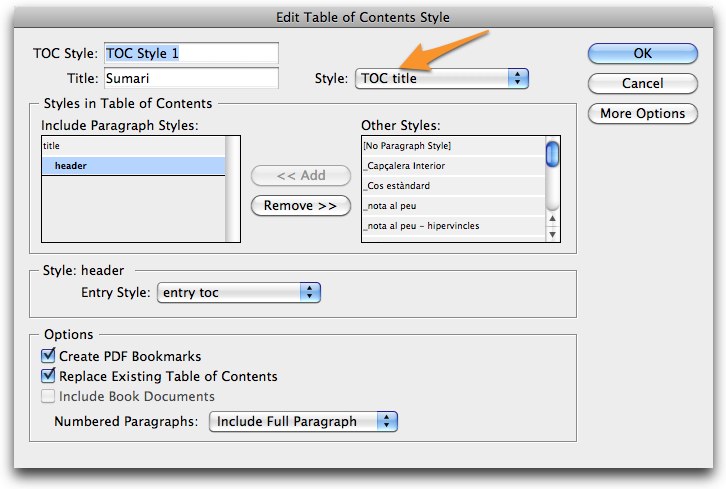
I'm exporting an InDesign document to EPUB and for some reason the formatting that I've applied to the TOC title doesn't stick. I click in it and look in the Paragraph Styles box and it says TOC title,

InDesign

but when I export, it says "No Paragraph Style". I go back again, check once again in the Paragraph Styles box, export, and once again, I get "No Paragraph Style".

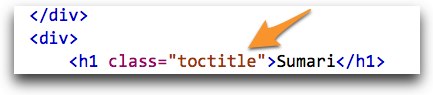
Dammliz-2.xhtml

What's going on?

And here's where going to trade shows really helps. I mentioned a while back that the engineers at Adobe are really open to suggestions and requests, and it happens that a couple of them came to my EPUB3 talk the other day in New York City. We talked for a bit afterward about my wish for a single file for both the navigational TOC and for the regular, in-the-body-of-the-document TOC (which I describe in some detail in my slides which you can find at the previous link). And the engineer told me, “but since we regenerate the ncx file upon export, we wouldn't know if the user had changed something in the text”.

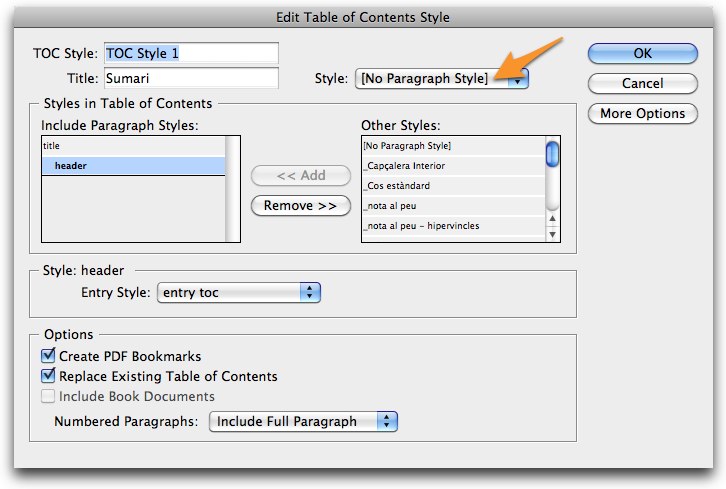
Remembering that today helped me realize why my format wasn't making it through. InDesign doesn't pay attention to the document that's on your page upon exporting a TOC to EPUB, it only looks at the TOC Style, and what you have defined there. And here's what I had:

Edit Table of Contents Style

Since InDesign uses this definition and not what you see on the page to generate the TOC in your EPUB document, it was giving me "No Paragraph Style".

Once I updated the TOC style, I was able to get the TOC title to be exported with the proper style.

Edit Table of Contents Style

Dammliz-2.xhtml

Unfortunately, InDesign CS 6 has a bug which keeps it from properly splitting an EPUB on a style that's part of a TOC. Argh. So, in the end, I had to add the TOC title separately in my InDesign document to ensure the break. (I also had to get rid of the title from my TOC style so that it wouldn't be repeated there.)

Still, I think it's important to keep in mind that when InDesign generates a TOC file, it gets the information from the TOC Style definition, and not from the content that you may have edited on the page.

Friday, May 31, 2013

EPUB3 Now! at IDPF DigitalBook World 2013

On Wednesday, I was invited to talk about EPUB3 at IDPF's Digital Book World Conference which is part of the Book Expo America going on in New York City this month.

My basic thesis is that EPUB3's promise is as a galvanizing, common goal for both ebook publishers and ebook designers and production workers that will enable all of us to move forward together, even if it means getting to our objective at different times. Because EPUB3 doesn't break EPUB2 books in older ereaders, there is no reason to put off using EPUB3 right now. And because many ereaders are already supporting many of EPUB3's flashier features—some of which I show off in this presentation, there are lots of good reasons to go ahead and make the jump.

In my talk, I mention the fact that Hachette, part of the second largest publisher in the world and one of the Big Six in the United States has announced that not only will they soon deliver all of their ebooks in EPUB3 format, but that they will stop delivering books in EPUB2. They haven't served books in Kindle format since 2007.

The promise of a single file that works on all systems is before us, and EPUB3, our common goal, is what will enable us to get there.

I have not only published my slides, but I re-recorded my talk so you can get all of the details. Be sure to activate the audio portion.


(I couldn't get the audio to play in Chrome, but it seems to work just fine in Safari.)

Note that you can download (or buy) the EPUB3 version of What's up with Catalonia? that I use as a sample in my talk here.

You can buy the Monarch Butterfly book on the iBookstore.

Barcelona Beyond Gaudí is available both at the iBookstore and on my website.
I welcome comments and suggestions.

Thursday, May 16, 2013

Video in Kindle books, thanks to EPUB3

Yesterday, I wrote about how you can call external audio/video files in an EPUB3 document. This works brilliantly in iBooks and Readium, but so far, nowhere else. What happens when it doesn't work is actually pretty interesting. According to the spec, you can add a fallback message, and indeed a fallback photo or link. In this case, I've used the poster image as a fallback image.

<p>Does everyone have their own cat videos? I sure do. Here are Nighty and a very small Momo playing the box game.</p>
    <video controls="controls" poster="image/poster.jpg" width="384" height="276">
    <source src="http://www.elizabethcastro.com/epub/examples/catbox2.mp4" />
    <source src="http://www.elizabethcastro.com/epub/examples/catbox2.wvm" />
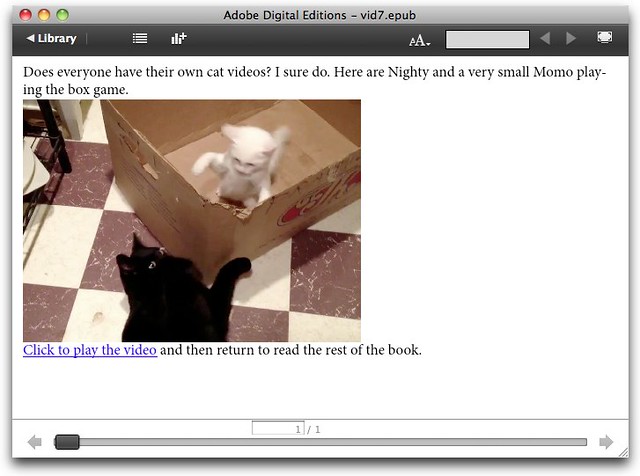
    <p><a href="http://www.elizabethcastro.com/epub/examples/catbox.mp4"><img id="poster" width="384" height="276" src="image/poster.jpg" alt="poster" /> Click to play the video</a> and then return to read the rest of the book. </p>
    </video>


The only problem is that Adobe Digital Editions is the only EPUB ereader that properly displays the fallback message.

Adobe Digital Editions - video fallback

But it's nice. If you click the link, your default browser opens, and the video plays.

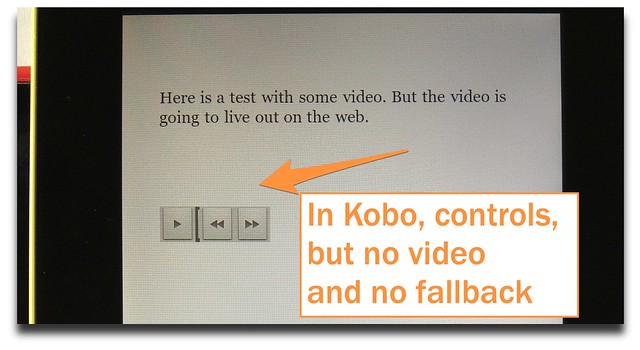
Unfortunately, if you open the EPUB file on the NOOK, or in Kobo (even the Kobo for iOS app), or even if you open it in iBooks without internet access—and thus the video cannot be displayed—you get varying things—sometimes the poster image, sometimes controls but no video—but no fallback content.

Kobo - no fallback

Fallback leads to video for Kindle books

But what about Kindle? Suppose you take that EPUB3 file, and pass it through KDP, or Kindle Previewer, or KindleGen, which all do the same thing—convert an EPUB file to KF8/mobi. And yes, they work on EPUB3 files as well as EPUB2 files. Next, open that converted mobi file in a Kindle Fire.

The fallback text, photo, and link appear, and better yet, when you click the link, Kindle Fire sends you to the browser, and plays the video. When you're done, the back arrows take you back to the book.


If that's not enough, stick it on Dropbox, and open your Dropbox app on an iPad. Once it's been copied, click the Open in another application arrow (upper right corner) and choose Kindle for iOS. Again, the fallback text, photo, and link appear, and when you click them, the video plays. It's true that you get an error message, but I'm guessing there's a way to get around that, but regardless, the video plays anyway. As if it were in a special window inside the Kindle iOS app. And when you've finished watching the video, click Done, and you go right back to the book.


So let's sum up:

1. So far, you can only play an embedded video right on a page in an ebook in iBooks and NOOK. But B&N won't let self- and indie publishers add such books to Pub It!.

2. You can play external video files right on a page in an ebook only in iBooks.

3. The fallback text doesn't appear in NOOK or Kobo.

4. The fallback text does appear in ADE and—if you convert the EPUB3 file to KF8/mobi—it also appears in Kindle Fire and Kindle for iOS (perhaps other Kindles too?), and all of these let you play the fallback video in an external browser.

5. An added caveat: I haven't uploaded a book to KDP with a link to external video. I can't guarantee that such a thing is permitted.

6. This opens up a lot of possibilities.

You can download the mobi file here. And if you liked this post, consider subscribing to my blog so I have time to write more!

More of my books